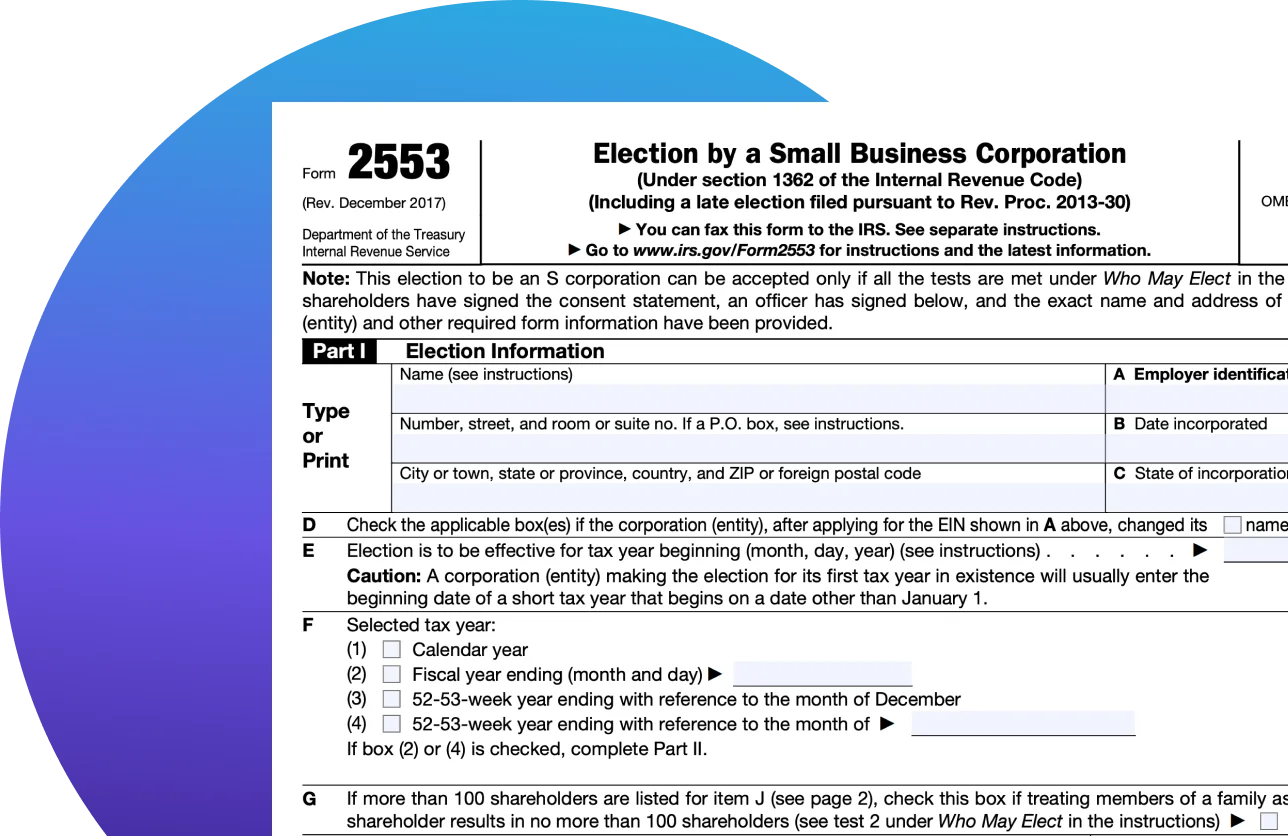
What Is Form 2553?
IRS Form 2553 is the tax form you must file if you want to elect S corporation status for your business. This form essentially tells the Internal Revenue Service (IRS) that you want your small business corporation to be taxed as an S corp.
Understand Form 2553
Part 1: Election information
Box A: Enter your business name, employer identification number (EIN), and mailing address. If your personal address is also your business mailing address, you can write [Business Name] C/O [Your Name] as the address.
Box B:The date your business was incorporated or registered.
Box C:The state where you formed your business.
Box D:Check these boxes if you changed your business’s name or address after applying for your EIN.
Box E & F:Enter the date you want your S corp status to take effect and select your tax year. Consulting with a professional is a good idea if you want to choose an option other than a calendar year.
Box G:Check this box only if you have over 100 shareholders, but some are family members. You can treat family members as a single shareholder.
Box H:Enter contact info for your legal representative (this could also be you).
Box I:This is where you can make the case for reasonable cause when filing a late election. If there isn’t enough room, feel free to attach a statement instead.
Box J:Enter the names and addresses of the shareholders who must consent to the S corp election.
Box K:Each shareholder must sign and date the form under the consent statement.
Box L:List the number of shares each shareholder owns (or the percentage of the company they own).
Box M:Enter the Social Security number (SSN) for each shareholder (or EIN if the shareholder is a trust, estate, or exempt organization).
Box N:Enter the date each shareholder’s tax year ends (typically Dec. 31).
Part II: Selection of Fiscal Tax Year
Only fiscal-year filers need to complete Part II for tax purposes. You can leave this section blank if you checked the calendar year in Part I.
Section O: Check the box that applies to your business.
Section P: Select either natural business year or ownership tax year.
Section Q: If you didn’t select anything in Section P, choose your business purpose tax year.
Section R:If you didn’t select anything in Section P or Q, choose your backup fiscal year selection..
Part III: Qualified Subchapter S Trust (QSST) Election
This section won’t apply to many small businesses — it’s only for trusts that own S corp shares and pay all income to the income beneficiary. It asks for the beneficiary’s name, address, and SSN, plus the name and EIN of the trust.
Part IV: Late Corporate Classification Election Representation
You can skip this section if you file Form 2553 within the deadline. If you’re filing a late election, this part simply lists the eligibility requirements you must meet to qualify for late election relief.
Related Information
Your Guide to Filing Form 2553
A complete guide to IRS Form 2553, including eligibility requirements, filing instructions, and benefits of electing S Corporation status.
What Is a Schedule K-1?: A Guide and Instructions on How to File
Learn everything you need to know about what a Schedule K-1 is, why it’s important, and how to easily e-file it with TaxAct®.
Schedule K-1 (Form 1120-S) - Entering in Program
Steps on how to enter or review information from Schedule K-1 (Form 1120-S). TaxAct will guide you through each section, making it easy to accurately report your K-1 details in the right place on your return.
How to Fill Out Form 1120-S for S Corporations
Guide to completing IRS Form 1120-S for S corporations. Learn about deductions, income reporting, and tips for accurate filing.
Key Tax Deadlines For Small Business Owners
Curious about the business tax deadlines that you should mark on your calendar? Given are the details of the deadlines for filing small business tax returns.
A Guide for S Corporations
Find all that you need to know about Form 1120-S — what it is, what are schedules, how and when to file & more.

A solution for every tax situation
Not sure where to start? Take our 2-question quiz and find the right tax prep option for you in 30 seconds.